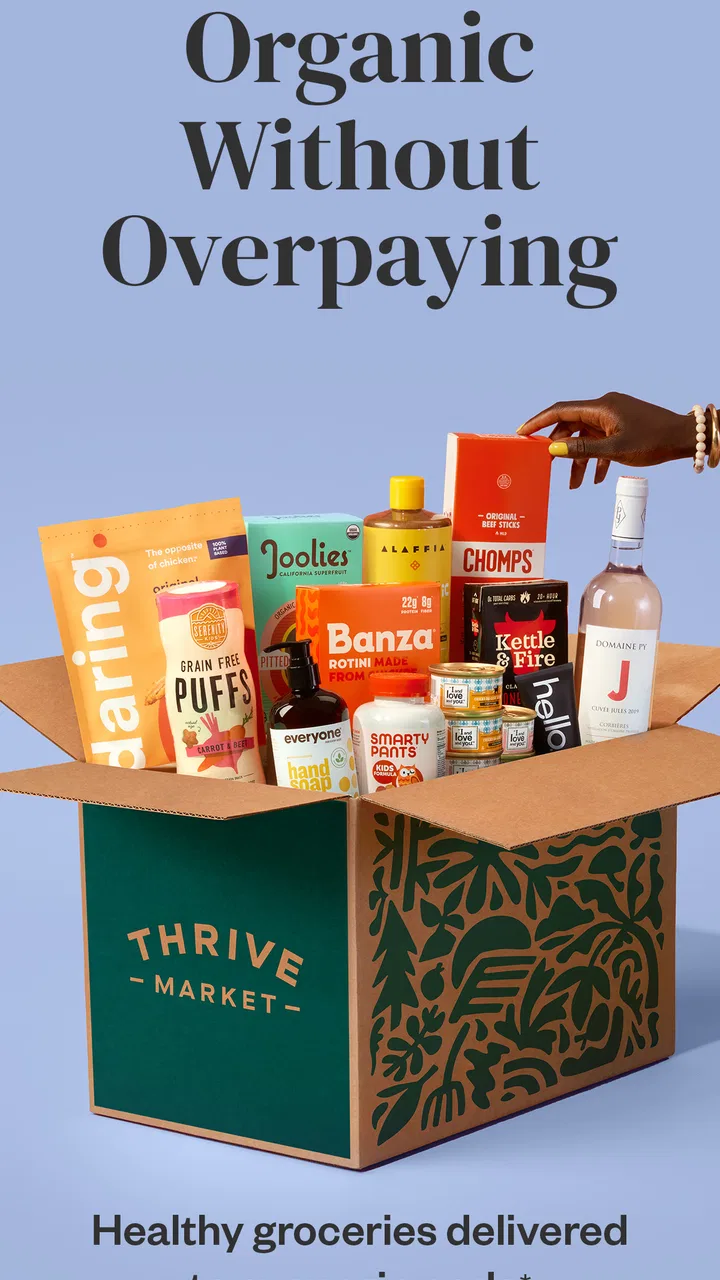
Thrive Market: Shop Healthy
- 4.8
- Rating
- 1.00M
- Installs
- Free
- Price

 Analysis by App-foxy
I approached Thrive Market: Shop Healthy as a shopping app first, but its real test is whether it makes a grocery routine easier for people with different needs, habits, and levels of comfort with mobile shopping. Developed by Thrive Market, it focuses on groceries associated with organic and sustainable choices and brings the ordering process into a phone-based storefront. The app is free to install, intended for Everyone, and has built a strong audience: it sits at a 4.8 average from around 49 thousand ratings, with more than a million installs.
My overall impression is positive, especially if you already know what kind of pantry, household, or wellness products you want to buy. The experience is more useful for planned shopping than for a rushed, one-item purchase. I found that distinction important because an app can look simple while still asking users to compare products, read labels, manage a basket, and make decisions that are not equally easy for everyone.
How the shopping experience supports different users
I find that Thrive Market’s focused grocery-shopping experience matters most when different people need different things from the same order. A prepared list can make browsing more manageable, while careful product checks help households account for dietary needs and preferences. The next section looks at how those habits can turn an online catalog into a more practical routine without assuming that one workflow suits everyone.
You May Also Like

 Blood Strike: 2.5 Anniversary
Blood Strike’s Loadouts Turn Every Drop Into a Tactical Gamble
A close look at Blood Strike’s custom loadouts: how fast access to signature weapons reshapes its battle royale rhythm, rewards preparation, and narrows the gap between fights.

 Pandora - Music & Podcasts
Pandora’s Music Is Easy to Start, but Harder to Recover
Pandora’s strength is its low-effort path from a seed to a station. Its weak spot is how much confidence it asks you to place in connection, setup, and quiet recovery.

 8 Ball Pool
 Is Built on Rivalries, Rematches, and Routine
A close look at the rivalries, rematches, shared routines, and unanswered safety questions that turn a quick pool match into a persistent mobile community.

 Samsung Music
’s Quiet Strength Is Playing What You Already Own
Its reach comes less from spectacle than from dependable access to a personal library. That simplicity is both the app’s strongest retention engine and its ceiling.

 AccuWeather: Weather Radar
AccuWeather Review: A Quick, Clear Forecast for Everyday Decisions
For everyday plans, the best forecast is the one you can understand quickly. AccuWeather makes rain timing, radar, and local conditions easy to act on, with a few trade-offs.

 Hill Climb Racing
Why Hill Climb Racing Still Turns Crashes Into One More Run
A tiny car, a bumpy hill and one more upgrade: Hill Climb Racing keeps resurfacing because its simple chaos makes every near-miss feel personal.
More From Our News Desk



Readability and navigation during a grocery search
The clearest way to use Thrive Market is with a purpose in mind. Instead of opening it and wandering through an enormous general marketplace, I would start with a short list such as pantry staples, snacks, cleaning supplies, or dietary preferences. That approach reduces visual and mental clutter and makes the app feel more manageable.
The shopping model suits people who prefer browsing a focused grocery catalog rather than sorting through unrelated marketplace sellers. That focus is helpful when I want to compare items that belong to a similar type of household shopping. It also makes the app feel less chaotic than a broad retail platform where groceries sit beside electronics, clothing, and countless unrelated products.
Still, a focused catalog is not the same as a simple catalog. Grocery decisions can involve ingredients, package sizes, certifications, allergens, and personal priorities. I would not treat a prominent product image as enough information. For anyone with allergies, dietary restrictions, or strong sustainability requirements, the practical routine is to open the product details and read carefully before adding anything to the basket.
This is one of the app's most important accessibility lessons: clear navigation only helps when product information is also checked at the point of decision. A shopper who reads slowly, uses magnification, or needs extra time to interpret labels may find the process more comfortable when shopping from a prepared list rather than exploring impulsively.
I also think the app is better suited to repeatable routines than to spontaneous discovery. If I were setting up a regular order, I would keep a note of the products that worked well and return to them instead of rebuilding the entire basket every time. That reduces the number of screens and choices involved, which can help users who become tired by extended browsing or who need a predictable workflow.
Motor comfort, touch interactions, and sensory load
Mobile shopping can create physical friction even when the catalog itself is well organized. Scrolling through product cards, opening details, adjusting a basket, and moving between sections all require repeated touch actions. For someone with limited dexterity, hand tremors, joint pain, or difficulty making precise taps, a long grocery session may be more demanding than it first appears.
My practical advice is to shop in shorter sessions. Build the basket in stages, pause when needed, and review it before completing the order. This is more comfortable than trying to perform every task quickly with one hand while standing in a busy kitchen or on public transport. A larger device can also make product comparison less tiring, although the app remains designed for mobile shopping rather than a dedicated desktop workflow.
Users who are sensitive to visual density may prefer a slower approach: search for one product type, inspect the details, and return to the list rather than rapidly scrolling through many options. I would also avoid making important dietary decisions while distracted. Grocery interfaces often combine images, labels, promotional language, and controls in a small space, so reducing the pace can make the experience more reliable.
For people who use device-level text enlargement, display scaling, or other built-in assistance, the result will depend on how the app responds to those settings. I would test the browsing and checkout flow with the preferred settings before relying on it for a large order. That is not a criticism unique to this service; it is a sensible check for any shopping app where product details and controls need to remain understandable at a comfortable size.
Keyboard navigation is not the natural strength of a phone shopping experience, and users who depend heavily on alternative input may find a mobile catalog less convenient than a conventional web store. I would not choose this app solely because it offers grocery delivery if my main requirement is hands-free or keyboard-first shopping. In that situation, the better option is whichever shopping service works most smoothly with the assistive setup already used every day.
Using the app in real-life situations
The strongest everyday use case I can see is planned household shopping. Imagine someone returning home after work, checking a short list of pantry items, and ordering replacements without walking through a crowded store. That can be useful for a person managing fatigue, avoiding busy environments, or trying to keep shopping decisions consistent from week to week.
It can also help a caregiver prepare an order for another household member. The caregiver could review the basket slowly, confirm the product choices, and use the app as a shared planning tool rather than making a hurried trip. The important safeguard is to verify every item against the recipient's dietary and household needs, especially when a familiar package design might hide a changed size or formulation.
For someone with sensory sensitivities, ordering groceries from home may remove the noise, lighting, crowds, and unexpected interruptions of a physical supermarket. That is a meaningful advantage of the shopping format itself. At the same time, the app does not remove every source of uncertainty: product photos, packaging, and descriptions cannot fully reproduce the experience of handling an item in person.
People with limited transportation may also appreciate a catalog that turns grocery planning into a digital task. The app's purpose is particularly relevant when the priority is obtaining organic or sustainability-minded groceries without making an immediate store visit. However, users should plan ahead rather than assuming the app is ideal for urgent needs. A local store or a fast general delivery service may be more suitable when a single ingredient is needed immediately.
Another useful scenario is budget-conscious comparison. A focused grocery marketplace can make it easier to compare similar items within the same shopping mission, but I would still compare the final basket with local supermarket prices and any membership or delivery conditions that apply to the order. The free installation should not be confused with the total cost of shopping. What matters is the complete checkout outcome, not simply the fact that the app costs nothing to download.
Where the experience still creates barriers
The first barrier is the amount of reading involved. A shopper may need to interpret product names, descriptions, ingredients, package information, and ordering details. That can be challenging for users with dyslexia, cognitive fatigue, limited language confidence, or vision-related needs. The app becomes more approachable when the shopper already knows the product category and has time to verify details, but it is less forgiving when someone must make many unfamiliar decisions quickly.
A second barrier is the difference between digital convenience and physical certainty. A store lets me inspect packaging, compare physical sizes, and ask an employee for help. In an app, I have to trust the information presented on screen and remember to review the basket carefully. This matters especially for people who depend on exact textures, package formats, or ingredient exclusions.
There is also a planning barrier. Online grocery shopping rewards users who can anticipate what they will need, tolerate a multi-step process, and keep track of household stock. Someone who prefers to decide meals day by day may find a local supermarket more flexible. Likewise, a user who needs assistance selecting items may require a trusted person to participate in the process.
The app's audience size and high average rating suggest that many shoppers find the experience worthwhile, but neither figure guarantees a perfect fit for every ability or context. Ratings are useful reassurance, not a substitute for testing the actual browsing and checkout flow with personal settings. I would pay particular attention to whether product text, controls, and basket changes remain comfortable to use on the device and display configuration I depend on.
Version information can matter when troubleshooting. The current version is 2.132.0, and the app supports devices running Android 7.0 or later. That makes it relevant to many Android users, including people who keep an older phone for financial or practical reasons, although device age and system settings can still affect comfort. I would update the app before placing an important order and make sure the phone has enough battery and a stable connection for the full process.
How it compares with ordinary grocery alternatives
Compared with a physical supermarket, Thrive Market is strongest when reducing travel, crowds, and unplanned browsing. A store wins when I need something immediately, want to inspect an item directly, or need help from staff. The app wins when I have a planned list and value ordering from home.
Compared with a broad online marketplace, the focused grocery identity is an advantage. I spend less time filtering out unrelated products, and the shopping purpose is clearer. A general marketplace may still be better for combining groceries with non-food purchases or for finding an unusual item from a wider collection of sellers.
Compared with a local supermarket's own app, the choice depends on the shopping mission. A local store may be more convenient for same-day pickup, familiar brands, and immediate substitutions. Thrive Market is more appealing to someone specifically interested in organic and sustainable grocery shopping and who is comfortable planning around delivery rather than treating the app as an emergency supply run.
I would also distinguish it from a simple list app. A list tool helps me remember what to buy, while this app is intended to take me from product discovery to an online grocery order. That is convenient, but it also means I must be more careful: I am not merely recording a need; I am selecting a product, checking its details, and committing to a purchase.
Who will benefit most from the workflow
I would recommend trying it if you prefer shopping from home, want a more focused grocery catalog, and can set aside time to review products rather than rushing. It is particularly suitable for planned pantry restocking, households interested in organic or sustainable choices, and people who find physical supermarket environments tiring or overwhelming.
I would be more cautious if you need groceries within minutes, depend on in-person assistance, have very specific sensory requirements, or find small-screen reading and repeated touch gestures difficult. In those cases, a local store, a trusted helper, or a service with a more comfortable accessibility setup may be the better choice.
The app is free to install and carries an Everyone age rating, so the initial barrier to trying it is low. That does not mean every household will find the full shopping process equally easy. My recommendation is to begin with a modest, familiar basket, inspect the product information carefully, and judge the experience by how comfortably you can complete the whole order—not by how attractive the catalog looks at first glance.
My inclusive verdict
After looking at the app through the lens of readability, motor comfort, sensory load, and real-life situations, I see a useful grocery tool with a clear audience rather than a universal replacement for every kind of shopping. Its focused purpose can reduce the chaos of a broad marketplace, and ordering from home can make grocery access more manageable for people avoiding crowds, travel, or exhausting store visits.
Its limitations are equally practical. The experience still depends on careful reading, repeated touch interaction, reliable planning, and confidence in digital product information. Those demands may be minor for one shopper and decisive for another. I would not promise that the app solves accessibility challenges, but I do think it can fit well into an inclusive shopping routine when paired with device settings, a slower pace, and help from another person when necessary.
My final view is that Thrive Market: Shop Healthy is worth trying for planned organic and sustainability-minded grocery shopping, especially if a home-based routine feels easier than visiting a store. I would keep a local supermarket or a broader delivery alternative available for urgent purchases and products that need physical inspection. Used with that realistic expectation, it offers a convenient route to a more controlled shopping experience without pretending that digital convenience removes every barrier.
FAQs for Thrive Market: Shop Healthy
01What is Thrive Market, and how does it work?
Thrive Market is an online membership-based platform that offers a wide variety of organic and non-GMO groceries at discounted prices. Members pay an annual fee to access wholesale pricing on thousands of products, including food, beauty, and household items. The app allows for easy browsing, shopping, and delivery tracking, providing a convenient way to shop for healthy products.
02What are the benefits of using the Thrive Market app?
The Thrive Market app provides several benefits, including the ability to shop for organic and sustainable products from the comfort of your home. Users enjoy significant savings compared to retail prices, and the app offers personalized recommendations based on dietary preferences. Additionally, the app's user-friendly interface makes it easy to find and purchase items quickly.
03Is there a membership fee to use Thrive Market, and is it worth it?
Yes, Thrive Market requires an annual membership fee, which allows access to exclusive discounts on all products. For frequent shoppers of organic and health-conscious products, the savings can quickly outweigh the membership cost. Additionally, Thrive Market offers a 30-day free trial, so users can explore the platform and determine if it meets their needs before committing.
04How does Thrive Market ensure the quality of its products?
Thrive Market is committed to offering only high-quality products. They partner with trusted brands and conduct thorough vetting processes to ensure every item meets their strict standards for sustainability, organic certification, and non-GMO verification. This commitment to quality ensures that users can trust the products they purchase through the app.
05What is the delivery process like with Thrive Market?
Thrive Market provides a seamless delivery experience, with orders typically processed and shipped quickly. The app allows users to track their orders in real-time, ensuring they know when to expect delivery. Packaging is eco-friendly, and the company is committed to reducing its carbon footprint, making it a great choice for environmentally conscious consumers.
Pros
- Wide range of organic products.
- User-friendly interface.
- Affordable membership options.
- Fast delivery service.
- Exclusive discounts for members.
Cons
- Limited to the US market.
- Membership fee required.
- Occasional app performance issues.
- Limited product availability.
- No physical store locations.

Thrive Market: Shop Healthy
Gallery